Mnem0 for Android · Free
Mnem0 forAndroid.
Share from any app, tap the widget or the Quick Settings tile, and it's on your Windows PC or Mac a second later. Copy what arrives straight from the notification.
Download the APKInstall steps →Android 8 or newer · Tells you about updates- Send clipboard, a photo or a file
- The newest on top
- Photos at full quality
Install
Not in Play Store yet.
Two minutes instead.
A Play Store listing costs money we're not spending yet, so you install the app file directly. It's the same app, signed by us.
- 01
Download
On your phone, open the latest Android release and tap the
.apkfile. - 02
Allow it once
Android asks whether your browser may install apps. Allow it for this one install.
- 03
Install and open
Tap Install, then Open. Allow notifications so arrivals can reach you.
- 04
Sign in
Continue with Google, or choose Use another device and scan the QR code on your computer.
On your phone
Where Mnem0
shows up.
On Android
Closest to your thumb.
- WidgetYour latest items on the home screen; tap one to copy it. Buttons to type or send the clipboard.
- Quick Settings tileSwipe down, tap Mnem0: your clipboard is on its way.
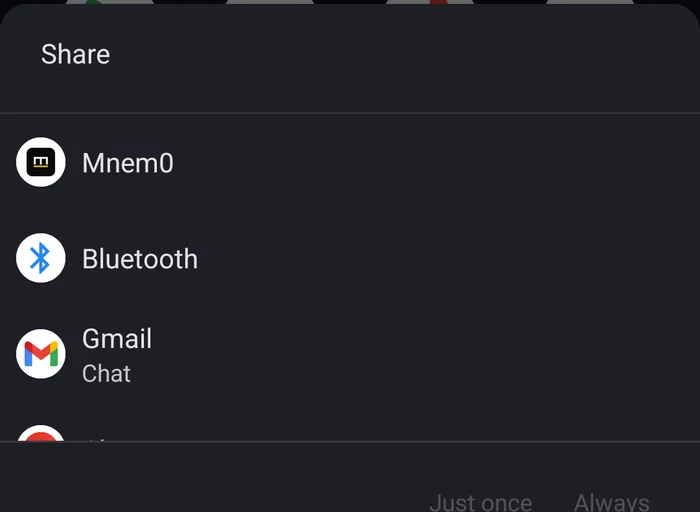
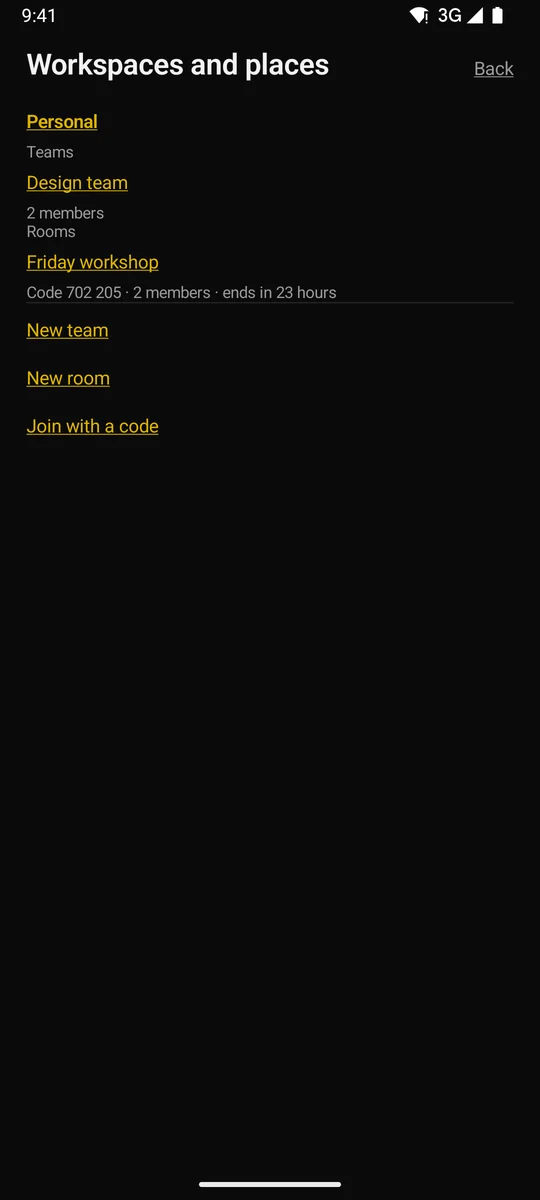
- Share sheetMnem0 and each of your workspaces as share targets in every app.
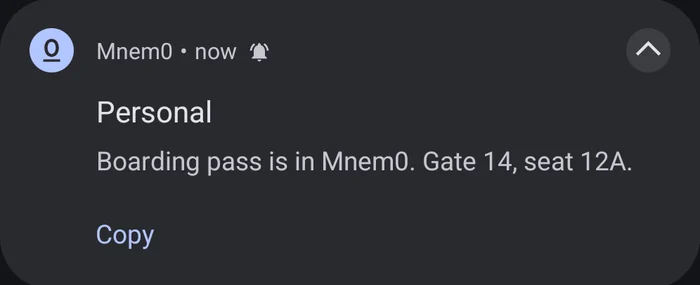
- NotificationsNew items from your other devices and your teams, with Copy, even when the app is closed.
- Stay connectedOptional: keep a live connection for instant arrivals, at a small battery cost.
- Battery-friendlyOtherwise Mnem0 closes its connection the moment nothing needs it; a push wakes it.
Questions
Android
questions.
Is it safe to install an APK?
Install APKs only from sources you trust. Mnem0's comes from our public releases page and is signed with our key; updates must carry the same signature, or Android refuses them.
Why don't notifications arrive on my Xiaomi, OPPO or vivo phone?
Some phones close apps in the background to save battery. In the phone's settings, allow Mnem0 to run in the background (Battery → no restrictions), or turn on Stay connected in Mnem0's settings. The help page has the steps.
How do I update?
Mnem0 checks once a day and shows a line on Home when a new version is out. Settings → Download opens it; install it over the old one and your items stay.
How do I copy from Android and paste on Windows?
Tap Send clipboard (in the app, the widget or the tile). On Windows it's already in the popup; one click copies it.