Features

Everything Mnem0 does,on every device.

Send text, links, photos and files. Pick them up anywhere. Share with your team or anyone with a code. Here's all of it, app by app.

Download freeOpen it in your browser →
The notch · Windows & Mac

Your island at the
top of the screen.

A small black island sits at the top centre of your screen. It shows what arrives, plays your music, tells you when Claude Code needs you, and takes any file you drop on it. Try it: hover it, type in it, drop a file on it, or press play.

Hover the notch, or click it · Alt + Shift + N on your computer

  1. Push the mouse into the top edge
  2. Music controls right in the notch
  3. Drop a file on it to send it
  4. Claude Code needs you? It says so
How the notch works

Closed, peeking,
or open.

01
( Closed )

Always there, never in the way

A slim black bar at the top: the song that's playing with tiny ⏮ ▶ ⏭ controls, and a quick line when something arrives ("Sent to Personal ✓"). Clicks around it pass straight through to your apps.

  • → Show it always, only for arrivals, or never
  • → Hides itself over full-screen games, videos and slideshows
Glance
02
( Preview )

Push the mouse into the top edge

It opens into a preview with the widgets you pick: a send box, your last message, Now playing, Claude Code and connection status. Or press Alt + Shift + N. Opening it with the mouse never takes your keyboard; click in to type.

  • → Choose and order the widgets in Settings
  • → Keep open pins it while you work
Peek
03
( Drop )

Drop a file on it

Drag a file to the top of the screen and drop it on the notch: it's sent to your workspace, up to 25 MB. No window to open first.

  • → "Drop to send to Personal" shows where it goes
Send
04
( Music )

Now playing, from any app

Whatever plays on your computer (Spotify, YouTube in a browser, any player that talks to Windows' media controls) shows in the notch with previous, play/pause and next. Windows only for now: macOS has no public way to read it yet.

Music
05
( Claude Code )

Know when it needs you

Working with Claude Code in a terminal? The notch tells you when a session is waiting for your answer, and shows how many replies and tokens you've used today, counted from Claude Code's own logs on your computer.

Dev
06
( From your scripts )

Your own messages in the notch

The Mnem0 command line can put a message in the notch from any script or build: mnem0 island "Build finished". Handy when a long job ends while you're in another window.

CLI
07
( Which screen )

On your main screen, or follow the mouse

Keep it on your main display, or let it follow the mouse to whichever screen you're working on.

Screens
Sending

Anything you'd
copy or share.

If you can copy it or share it, Mnem0 can send it.

01
( Text and code )

Text, notes and snippets

Up to 100,000 characters per item: a note, an address, an error log, a command. One click copies it back.

Text
02
( Links )

Links with previews

Send a link and it shows the page's title on your other devices, ready to open in one tap.

Links
03
( Photos )

Photos at full quality

Photos arrive exactly as they left, never squeezed, up to 25 MB. Small ones show right in the list.

Photos
04
( Files )

PDFs, documents, anything

Drop files on the desktop window, pick them on your phone, or share them from any app. Open, share or save them on the other side.

Files
05
( No signal )

Offline? It waits.

Send while you're offline and the item waits on your device with a Sending… label. It goes the moment you're back online, nothing lost.

Outbox
Every app

Built for each device, not squeezed onto it.

The same account and the same items everywhere, with the shortcuts each device is good at.

The Mnem0 popup on Windows, explained The Mnem0 popup on Windows: a draft being typed above the latest items Press Alt + Shift + Spaceanywhere Enter sends.Esc closes. Latest items,one click to copy Everything else:the full view
  1. Press Alt + Shift + Space anywhere
  2. Enter sends. Esc closes.
  3. Latest items, one click to copy
  4. Everything else: the full view
  • Windows & Mac · popupAlt + Shift + Space opens a small popup over whatever you're doing. Type or paste, Enter sends, Esc closes.
  • Windows & Mac · clipboardAlt + Shift + V sends what's on your clipboard without opening anything.
  • Windows · the notchA small island at the top of the screen shows what arrives, takes files you drop on it, and alerts you when Claude Code needs you.
  • AndroidWidget, Quick Settings tile, share sheet with a target for each workspace, notifications with Copy, and Stay connected.
  • iPhoneShare sheet, widget, and a Send to Mnem0 shortcut for Siri, Spotlight and the Action Button.
  • WebEvery feature in any browser, installable on your home screen, with notifications. Handy on a computer that isn't yours.
The full view

Your whole history,
one window.

Open Mnem0 from the popup for the full view: every workspace, everything you've sent, pins on top of mind.

The Mnem0 desktop full view, explained The Mnem0 desktop app's full view on Windows Personal, teamsand rooms Type or dropa file here Mute a busyworkspace Every item:copy, pin, delete
  1. Personal, teams and rooms
  2. Type or drop a file here
  3. Mute a busy workspace
  4. Every item: copy, pin, delete
On Android

Tap once.
It's on your laptop.

The app, a widget, a Quick Settings tile and the share sheet: whichever is closest to your thumb.

Mnem0 on Android, explained Mnem0 on Android: an item tapped, showing Copy, Pin and Delete Your workspace.Tap to switch. Add a photo, a file,or the clipboard Tap an item:Copy, Pin, Delete Photos showright in the list
  1. Your workspace. Tap to switch.
  2. Add a photo, a file, or the clipboard
  3. Tap an item: Copy, Pin, Delete
  4. Photos show right in the list
The same items everywhere

Real screens,
real apps.

Captured from the apps themselves, all signed in to the same account.

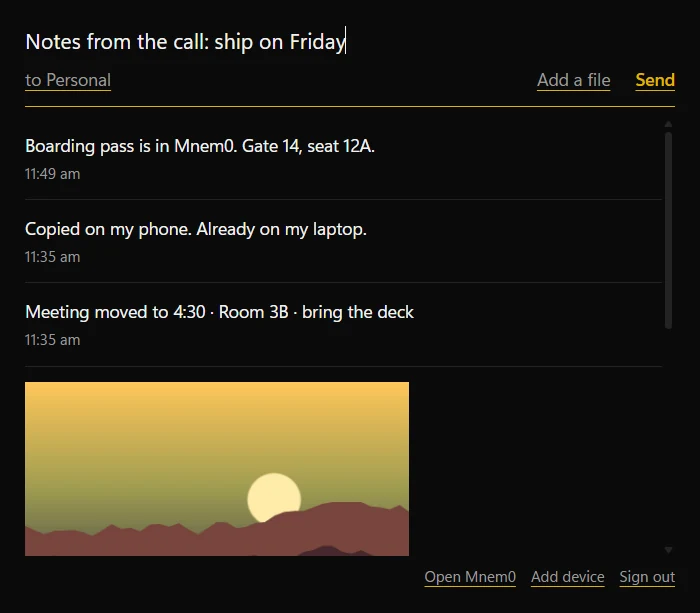
The Mnem0 popup on Windows: a draft being typed above the latest items
Windows popupAlt + Shift + Space from anywhere.
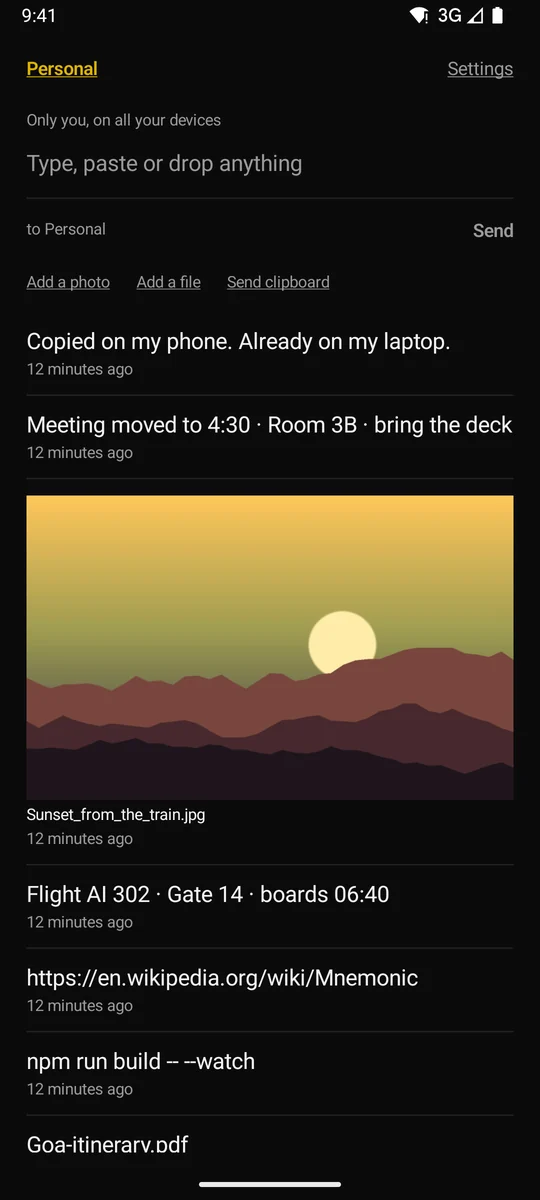
Mnem0 on Android: the Personal timeline with a note, a meeting change, a photo, a flight gate and a link
AndroidYour timeline, photos included.
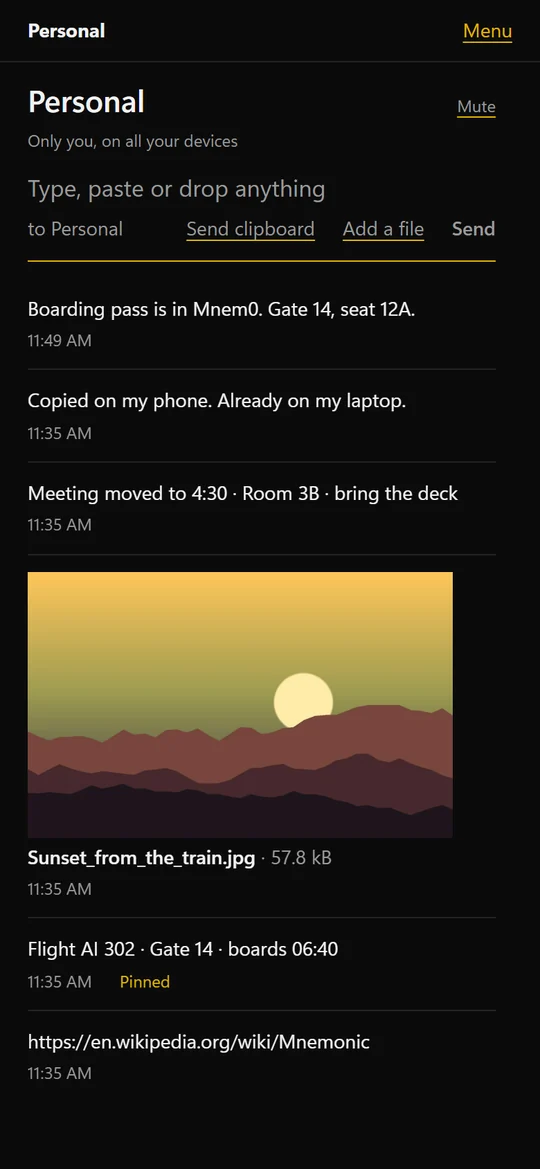
The Mnem0 web app on a phone-sized screen
Web on a phoneInstall it like an app.
Workspaces

Yours, your team's,
or for an hour.

Every item lives in a workspace. You choose which one before you send, and it remembers your last choice.

01
( Just you )

Personal

Only you, on all your devices. Everything starts here.

Private
02
( Up to 20 people )

Teams

Invite people with a code. Owners and admins manage members, the owner sets roles, and anyone can mute a busy team.

  • → Owner, admin and member roles
  • → Invite codes you can revoke
  • → Rename, keep or delete
Roles
03
( Anyone with the code )

Quick rooms

A room for a call, a class or an event. Share its 6-digit code; it ends by itself after 24 hours unless you keep it as a team.

  • → No invite needed, just the code
  • → Keep it as a team if it turns out useful
24 h

More about teams and rooms →

Devices and sign-in

No passwords.
No lost phones.

  • Sign inContinue with Google, or scan the QR code a signed-in device shows. No passwords anywhere.
  • Add a deviceOn a signed-in device, choose Add device and type the code or scan the QR of the new one.
  • Your devicesSee every signed-in device, rename them, and remove one to sign it out at once.
  • Sign outSigning out takes that device off your list, so it never piles up.
Notifications

Know when
it arrives.

  • DesktopA notification with Copy, and the notch when it's on.
  • AndroidA notification with a Copy button, even when the app is closed (push), or a constant connection with Stay connected.
  • iPhoneNotifications while Mnem0 is open and now and then in the background.
  • WebBrowser notifications, even with no Mnem0 tab open, where the browser allows it.
  • QuietMute any team or room. Turn notifications off per device.
What works where

Every platform, side by side.

FeatureWindowsMacAndroidiPhoneWeb
Send text, links, photos, files✓✓✓✓✓
Personal, teams, Quick rooms✓✓✓✓✓
Hotkey popup✓✓···
Send clipboardHotkeyHotkeyTile, appApp, widgetButton
The notch✓✓···
Claude Code alerts✓✓···
Share to Mnem0 from other apps··✓✓·
Home-screen widget··✓✓·
Notifications with Copy✓✓✓✓✓ (no Copy button)
Updates itself✓✓Tells youReinstall for nowAlways current

· = not on that platform on purpose: phones and browsers don't allow global hotkeys or a notch, and computers don't have share sheets.

The free plan

Free, with room to grow.

Everything above

Free

No trial, no credit card. A paid plan may come later for extras like longer history and AI; the free plan stays.

  • PriceFree
  • DevicesUp to 10 per account
  • File sizeUp to 25 MB each
  • History30 days, pinned items forever
  • Storage250 MB per workspace
Get started

Send yourself something.

It takes a minute to set up. After that, it's one key away.