Send files from phone to PC · No cable

Phone to PC.No cable.

Send photos, screenshots, PDFs and documents from your phone to your computer (and back) in a second, at full quality, up to 25 MB each. No USB cable, no emailing yourself, no cloud folders to dig through.

Download freeOpen the web app →
A photo shared on a phone arriving on a laptop The Mnem0 web app: workspaces on the left, the Personal timeline with a pinned flight and a photo Mnem0 on Android: the Personal timeline with a note, a meeting change, a photo, a flight gate and a link Sunset_from_the_train.jpg Goa-itinerary.pdf Screenshot 14:02.png
How to send files

Three ways in.
One place out.

  1. From any app

    Share to Mnem0

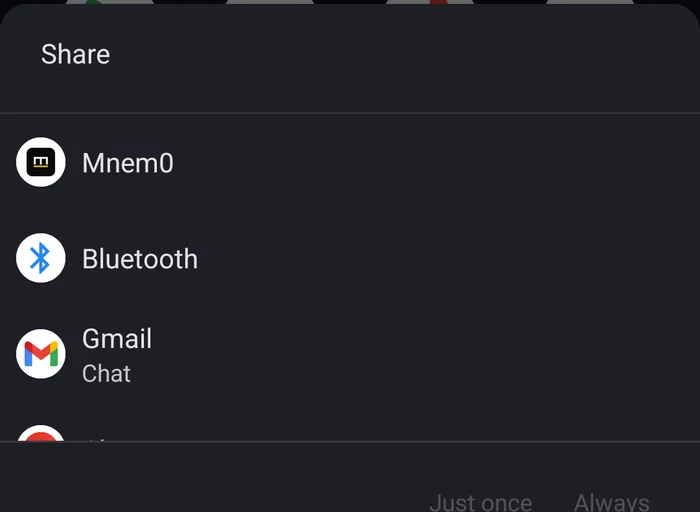
    In Photos, Files, your browser or any app, tap Share and pick Mnem0. On Android you can pick the workspace right in the share sheet.

  2. From the app

    Add a photo or file

    Open Mnem0 and tap Add a photo or Add a file. Pick several at once.

  3. From the computer

    Drop it

    Drag files onto the Mnem0 window or the notch, or use Add a file. They're on your phone a second later.
What it looks like

Shared on the phone,
waiting on the PC.

The Android share sheet with Mnem0 at the top
1 · ShareMnem0 sits in the share sheet of every app.
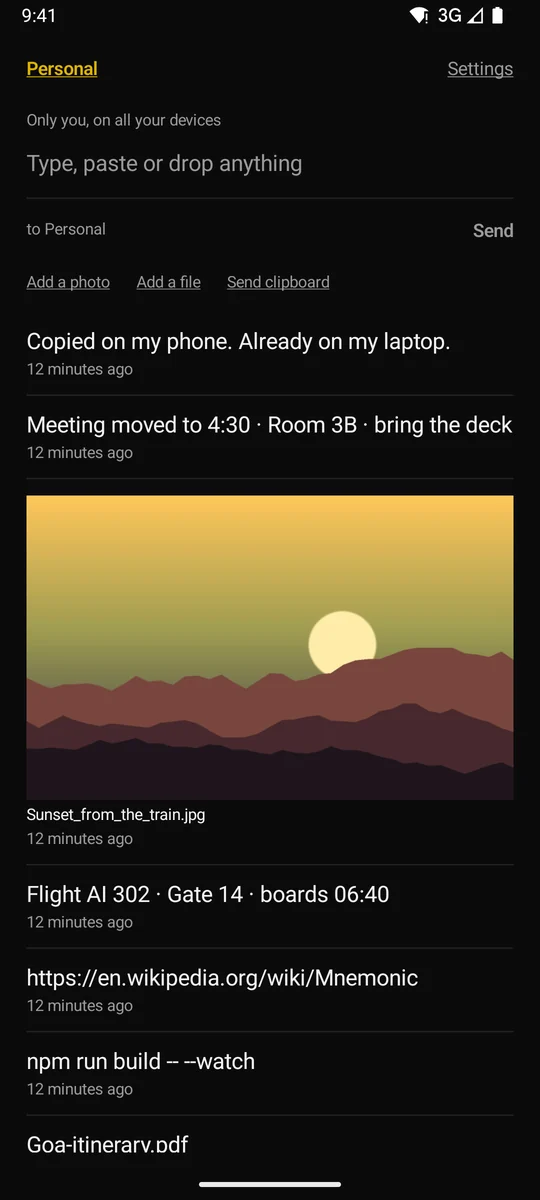
Mnem0 on Android: the Personal timeline with a note, a meeting change, a photo, a flight gate and a link
2 · It's sentPhotos show in the list, full size on tap.
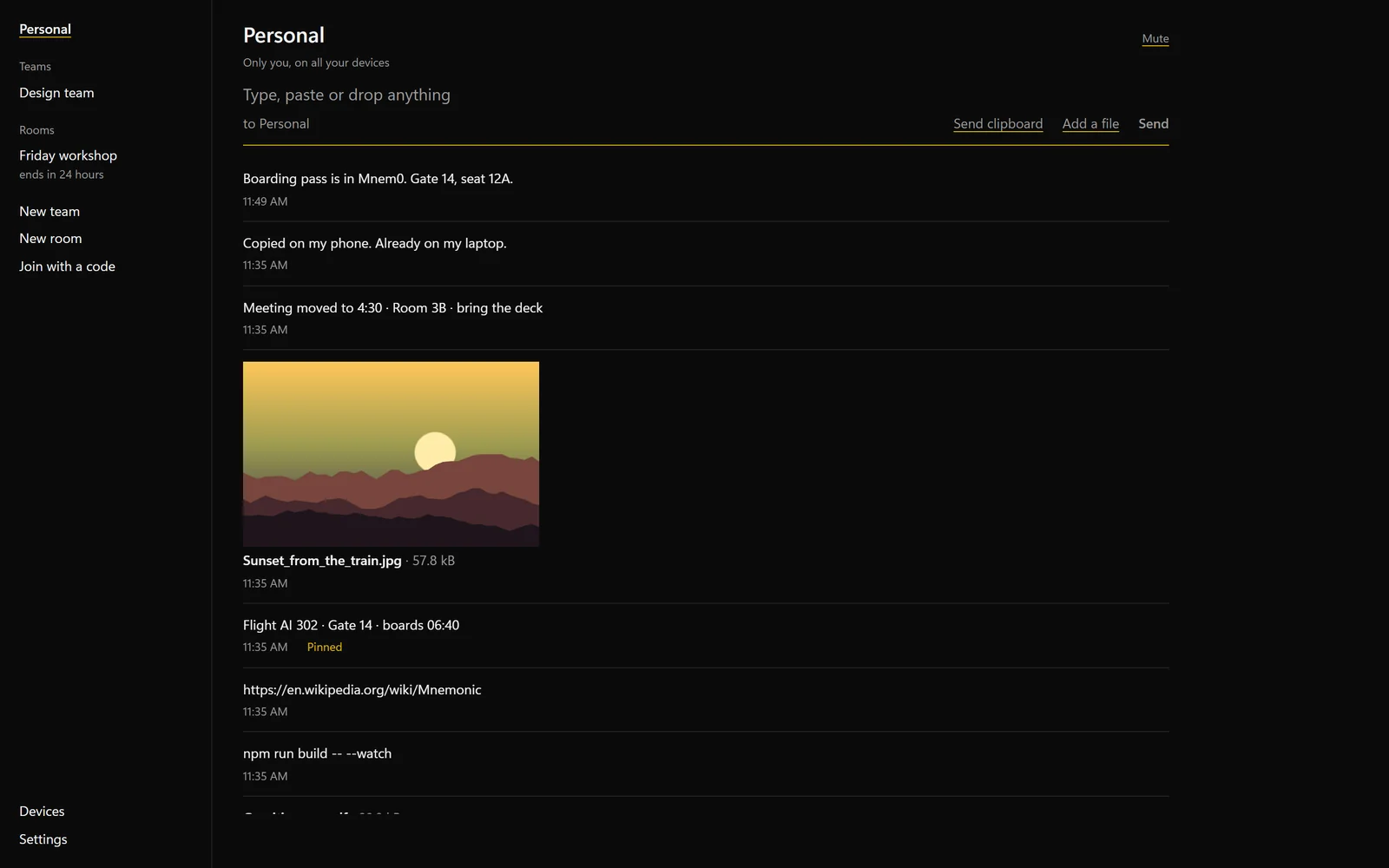
The Mnem0 web app: workspaces on the left, the Personal timeline with a pinned flight and a photo
3 · On your computerOpen, save or share it from there.
Why it's better

Not compressed.
Not lost.

01
( Full quality )

The exact file you sent

Chat apps shrink photos to save space. Mnem0 sends the original file, byte for byte, with its name.

Original
02
( Any network )

Not the same Wi-Fi? Fine.

Local-transfer apps need both devices on one network. Mnem0 works over the internet: phone on mobile data, laptop at the office.

Anywhere
03
( Kept )

It's still there tomorrow

Files stay in your history for 30 days on every device, and pinned ones until you unpin them. No re-sending.

30 days
04
( Offline )

No signal? It waits

Send from the plane. The file waits on your phone and goes the moment you're back online.

Outbox
Compared with

The other ways
to move a file.

  • USB cableFind the cable, unlock, choose file transfer, browse folders.Share, and it's there.
  • Emailing yourselfAttachments, a draft, a wait, an inbox on the other side.No inbox. It's in the list.
  • Chat appsPhotos compressed unless you send them as documents.Original quality, always.
  • Cloud drivesUpload, wait for sync, find the folder on the PC.Lands on the screen you're looking at.
Questions

File
questions.

How do I transfer photos from Android to my PC without a cable?

Install Mnem0 on both and sign in. On the phone, share the photos to Mnem0 (or tap Add a photo in the app). They appear on the PC a second later at full quality; click Save to keep them.

How do I send files from my iPhone to Windows?

Share the file to Mnem0 from Photos or Files, or add it in the app. On Windows it's in the Mnem0 window, ready to open or save.

How big can files be?

Up to 25 MB per file, with 250 MB of storage per workspace. Unpinned items clear after 30 days, which frees the space.

Can I send several files at once?

Yes. Pick several in the share sheet, the photo picker or the file picker, or drop several on the desktop window.

Does it work from PC to phone too?

Yes. Drop a file on the desktop window or the notch and it's on your phone.
Get started

Send your first file.

Share a photo from your phone and watch it land.